
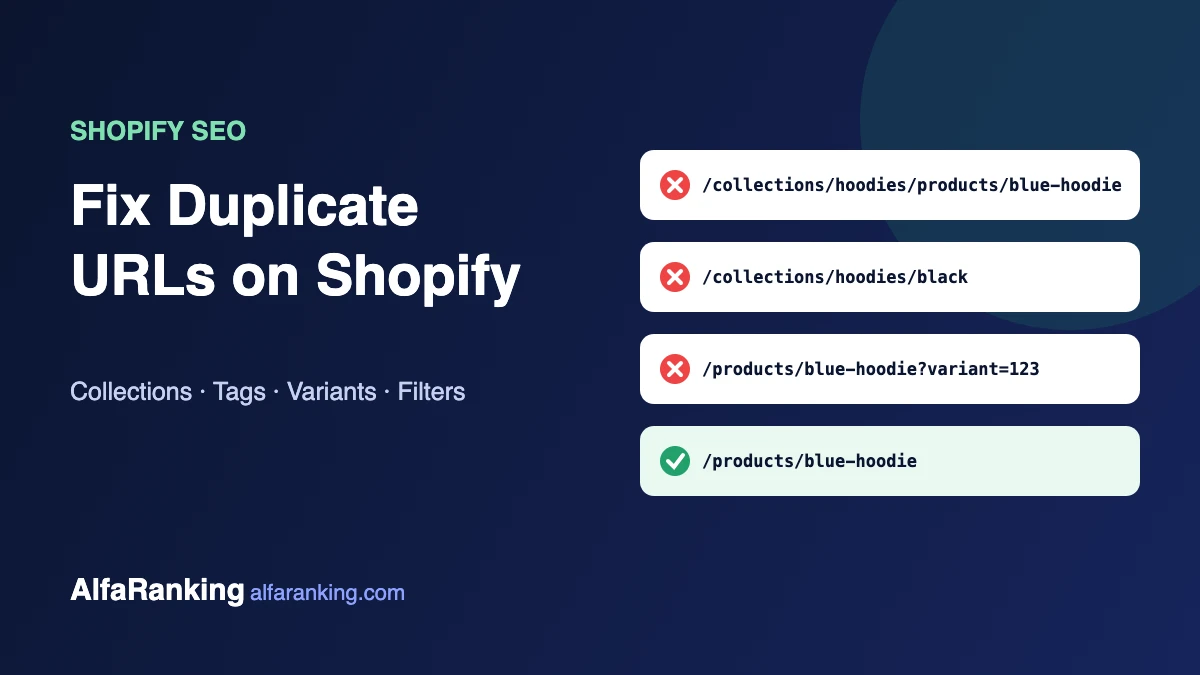
Shopify creates several URLs for the same product, collection or variant. Most of the time Shopify’s canonical tags stop this from becoming a real problem, but themes, apps and tag pages can undo that work. The result is crawl budget spent on copies, internal links pointing at the wrong version, and thin pages competing with the ones you actually want to rank.
Here are the four duplicate URL patterns we see most on Shopify stores, how to check each one, and how to fix it.
Before you edit any theme code: duplicate your theme first (Online Store → Themes → … → Duplicate) and make changes on the copy. Preview, then publish.
1. Collection-aware product URLs
The same product can be reached at two addresses:
/products/blue-hoodie
/collections/hoodies/products/blue-hoodie
Shopify’s canonical tag on the second URL points to /products/blue-hoodie, which is good. The problem is that many themes link to the collection version from collection pages, so your internal links point to a URL that tells Google to look elsewhere. Every product in several collections multiplies the copies.
How to check
Open a collection page, right-click a product and copy the link. If it contains /collections/…/products/, your theme is linking to the duplicate.
How to fix
In your theme code, find the product card snippet (often product-card.liquid, card-product.liquid or product-grid-item.liquid) and look for the within filter:
{{ product.url | within: collection }}Change it to the plain product URL:
{{ product.url }}Save, preview a collection page and check the links again. Breadcrumbs will no longer show the collection path, which is a fair trade for clean internal linking.
2. Tag pages on collections
Every product tag can create a filtered collection URL such as /collections/hoodies/black. A store with many tags can generate hundreds of thin pages that look almost identical to the main collection.
How to fix
If you don’t use tag pages as real landing pages, add a noindex rule in theme.liquid inside the <head>:
{% if current_tags %}
  <meta name="robots" content="noindex, follow">
{% endif %}
Google can still follow the links on those pages but won’t index the pages themselves. If a particular tag page deserves to rank, build it as a proper collection with its own title, description and content instead.
3. Variant URLs
Selecting a size or colour adds a parameter such as ?variant=123456. Shopify canonicalises these to the main product URL, so they are rarely a problem on their own.
The real mistake is creating a separate product for every colour or size. That gives you several near-identical product pages competing for the same search. Unless a variant has genuinely different search demand (for example a product people search for by colour name), keep variants inside one product.
4. Filtered and sorted collection URLs
Sorting and filtering create URLs with parameters such as ?sort_by= or ?filter.v.. Shopify’s default robots.txt already blocks many of these combinations. If your filters create crawlable URLs that waste crawl time, you can extend the rules by adding a robots.txt.liquid template. Only do this if Search Console shows these URLs being crawled heavily; a wrong rule can block pages you want indexed.
How to see the problem in Search Console
- Go to Indexing → Pages.
- Look at “Alternate page with proper canonical tag” and “Duplicate without user-selected canonical”.
- Open each list and look for patterns:
/collections/…/products/, tag URLs or parameter URLs. - A large and growing number usually points to one of the four issues above.
“Alternate page with proper canonical tag” is not an error in itself. It shows Google found a copy and followed your canonical. It becomes worth fixing when the copies are created by your own internal links or outnumber your real pages.
Quick checklist
- Product cards link to
/products/handle, not/collections/…/products/handle - Tag pages are noindexed unless they are real landing pages
- Colours and sizes are variants, not separate products
- Filter and sort URLs are not flooding the crawl
- Theme changes were made on a duplicate theme and previewed first
Want a second pair of eyes on your store?
We fix Shopify technical SEO issues like these and build links to the collections that actually sell. Request a Shopify SEO review or see our Shopify SEO services.